01 — the console
Hold, release, done
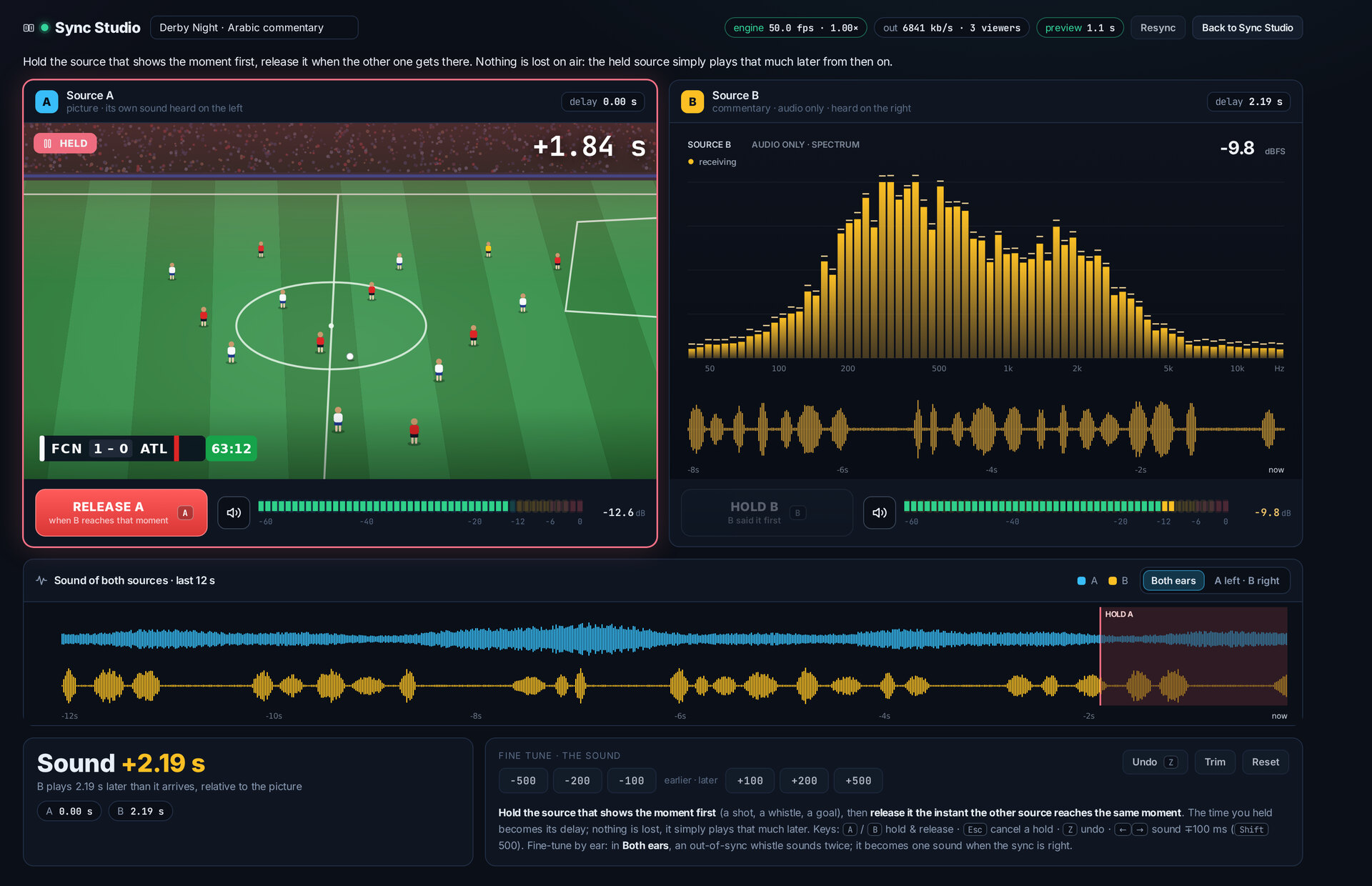
Both sources play side by side. Hold the one that shows the moment first, and release it when the other one gets there — that's the sync. Fine-tune it by ear if you like. Nothing is lost on air.
SolusTV / Sync Studio
New in V2 · Sync StudioTake the picture from one source and the commentary from another — a match with commentary in your viewers' language, for example. Line them up in your browser and get one ready-to-use stream.
01 — the console
Both sources play side by side. Hold the one that shows the moment first, and release it when the other one gets there — that's the sync. Fine-tune it by ear if you like. Nothing is lost on air.
02 — your studios
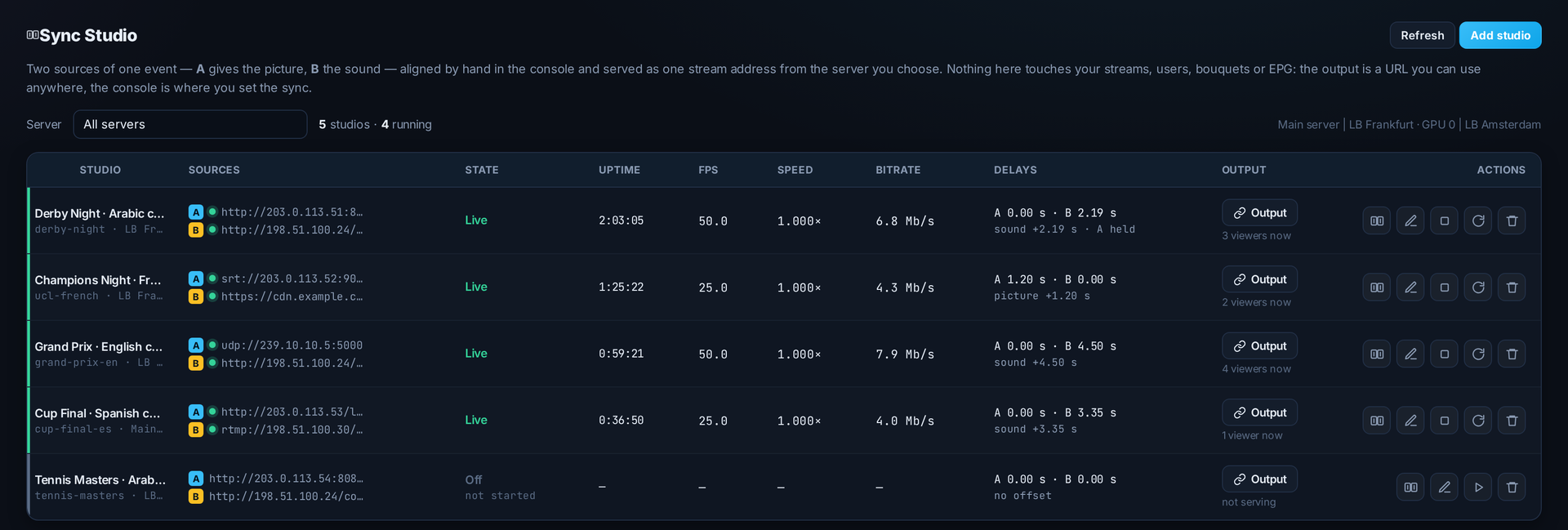
See every studio on every server: whether it's live, how long it has been running, and the delays that keep it in sync.
03 — the result
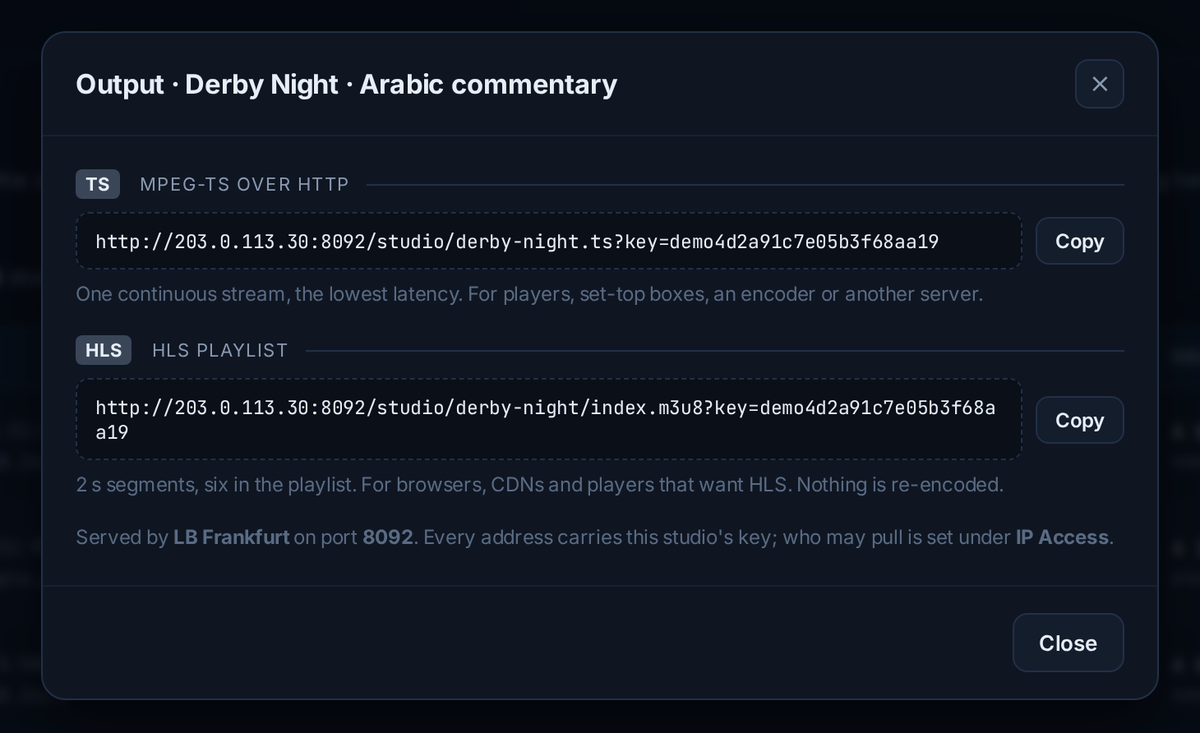
Each studio gives you a stream address — MPEG-TS for players and boxes, HLS for browsers and CDNs. Use it as a stream source in your panel or anywhere else. The picture is never re-encoded.
Source A gives the picture, source B gives the sound. They never arrive at exactly the same moment — Sync Studio lines them up and serves the result.
HTTP(S), UDP, RTP, RTSP, RTMP or SRT. The commentary can be audio-only.
If a source drops, the output carries on and the source reconnects by itself.
Run studios on your main server or any load balancer, as many as you need.
Every address carries a private key, and you can limit who may pull it by IP.
A desktop browser — Chrome, Edge or Firefox — to use the console. Source A must carry the picture and source B the sound, both reachable from the server you choose.
Included in the paid licence on every server, with unlimited studios. The trial lets you run one studio for 6 hours.
Three days free on your own server, then €100 for your first month.