Version 2 — coming soon

We threw away the core
and wrote our own.

Most panels in this market run on the Xtream Codes core: nginx in front, PHP behind, and a decade of workarounds holding it together. SolusTV V2 runs on neither. That one decision is why it starts streams in under a second, encodes on your GPU, and still speaks the API your apps already use.

Every Ubuntu release from 20.04 · migrate from any panel · your apps keep working

The path a stream takes

source

Ingest

Live source, local disk, exchange line or direct URL

solustv core

Our engine

No nginx. No PHP. 30–40 MB per running stream

gpu

Transcode

NVENC encoding paced by VRAM and card temperature

ai

Translate

Live and VOD, into whatever language your market speaks

proxy

Edge

Origin address stays hidden behind the proxy layer

xtream api

Your apps

Same API contract — nothing to rebuild or resubmit

The engine

What you inherit when the core isn't yours

A panel built on the Xtream Codes core shares that core's ceiling. You can restyle the interface, but you can't fix what sits underneath it. So we replaced it instead.

  Xtream Codes core SolusTV V2
Web stack
nginx + PHP in the streaming path
Neither. Purpose-built engine
GPU encoding
Rarely offered on this core
Native, on unlimited cards
Waking a dormant stream
Viewer waits, sometimes fails
~800 ms
Memory per running stream
Density limits how much one box carries
30–40 MB
SSL across load balancers
Main node only, in practice
Every server in the cluster
Supported Ubuntu
Pinned to old releases
20.04 and everything after
Client apps
Xtream API
Xtream API unchanged + active code API + our own streaming API
800msdormant stream to live
30–40MBram per running stream
streaming and gpu servers
Migration

Your apps don't need to know anything changed

V2 still speaks the Xtream Codes API. If you've shipped Android apps to your customers, built middleware around the endpoints, or sold devices already configured in the field — none of that has to be rebuilt, resubmitted or re-flashed. You move the panel; your users keep opening the same app.

Ask about migrating

# existing client, unchanged
GET /player_api.php?username=…
GET /xmltv.php?username=…
GET /live/…/…/1234.ts
# after moving to V2
200 OK · same contract
GPU

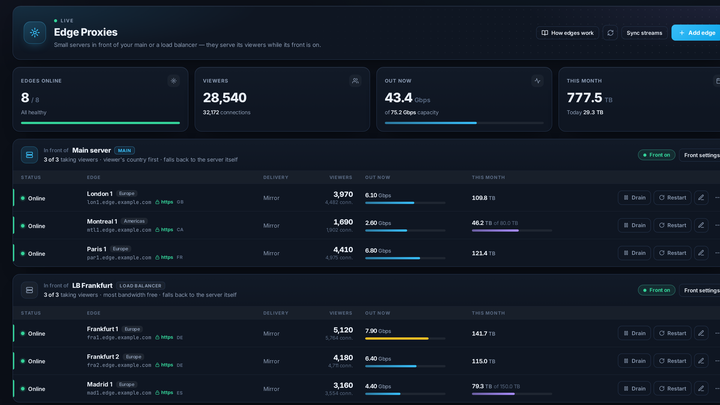
One of the very few IPTV panels that encodes on the card

Real hardware encoding, not a wrapper around a CPU encoder — on as many GPU servers as you want to attach — and the messy part, getting drivers and encoder limits right on a fresh box, is one click.

setup

Drivers install themselves

Attach a GPU server and the panel installs the current driver for it, then patches the encoder session limit — the two steps that normally cost an evening and a forum thread.

throughput

Batch encoding that watches the card

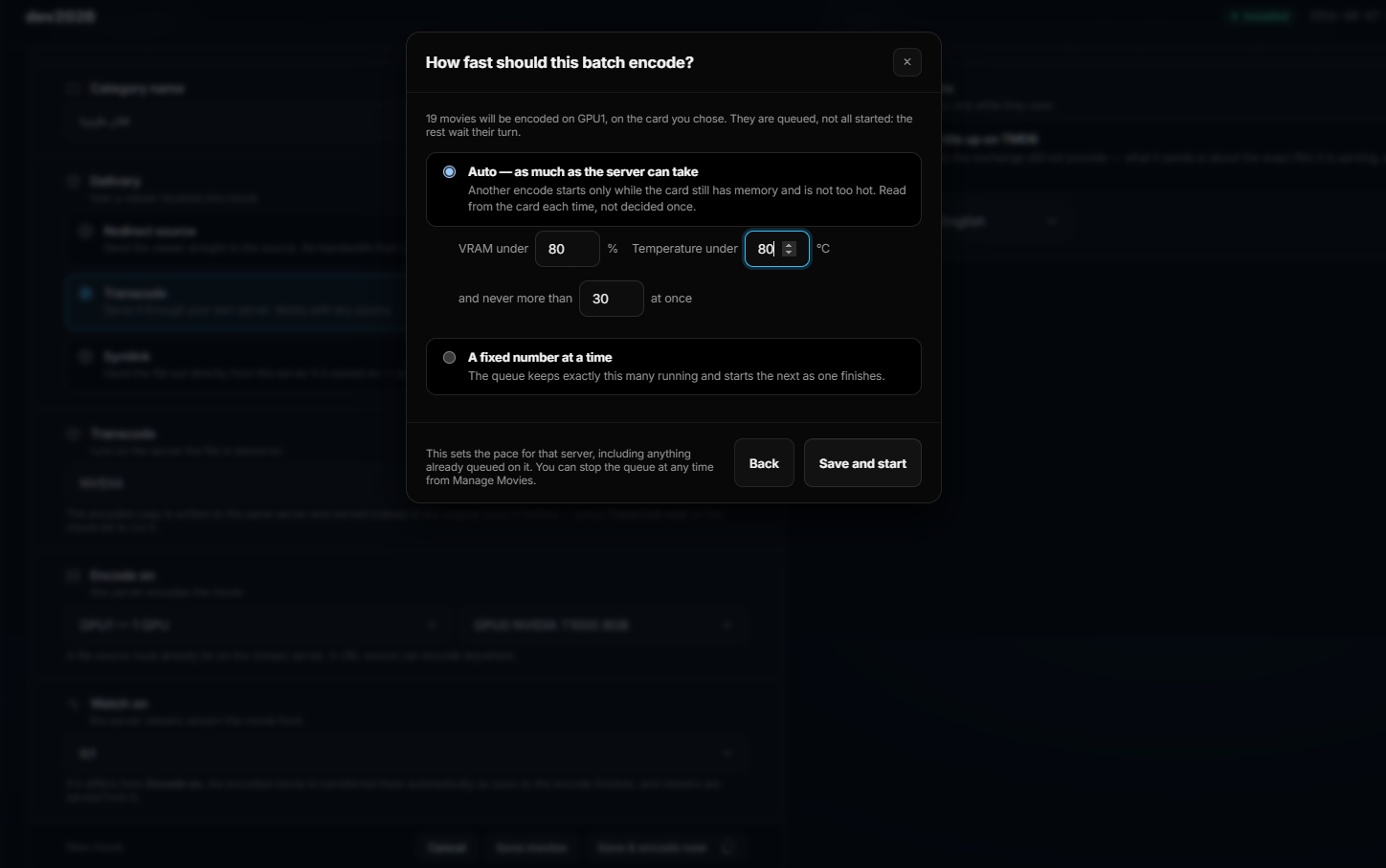
Queue a hundred titles and set the pace by what the hardware can take: start the next encode only while VRAM and temperature stay under your limits, or pin it to a fixed number at a time.

placement

Encode here, serve there

Finished files move to whichever load balancer should carry them. Encoding capacity and delivery capacity stop being the same problem.

GPU1● nvidia
VRAM38%
ENC61%
FAN42%
TEMP58°
Encoding queue18 titles
#27214%
#27147%
#27082%

pacing · vram < 80% · temp < 80°C · max 30 at once

AI

Translate a live channel into the language your market speaks

A stream in one language sells to one audience. The AI layer translates live channels and VOD as they run — and you choose where the model lives, because that decision affects both your costs and your data.

route 01 · self-hosted

Your own GPU server

The panel sets up a local model server on hardware you already own and runs translation there. Nothing leaves your infrastructure and there's no per-token bill.

route 02 · included

SolusTV translator API

Use our translation API with free tokens on SolusTV models. The fastest way to test whether a translated channel finds an audience before you commit hardware to it.

route 03 · bring your own

Your provider, your key

Already have an account somewhere? Paste the key and the panel uses it. No lock-in to a single vendor.

OpenAIClaudeDeepSeek
01Transcribe

Speech in the source track is turned into timed text.

02Translate

The model you chose renders it into the target language.

03Build the SRT

Output becomes a proper subtitle file with correct timing.

04Burn or attach

Burn subtitles into the video, or ship them alongside it.

Network

Your origin server stops being findable

Two problems, both about who gets to see your infrastructure: hiding where it actually is, and deciding who reaches the parts that stay public.

proxy

Hide the origin

Publish through a proxy layer so the main server's address never appears to clients. What's exposed is the edge, not the machine holding your content.

firewall

Scanners get nothing

Bots find IPTV servers within hours of them appearing online. Scans are detected and the source is blocked before it maps anything useful.

networks

Decide who's allowed

Allow or block by AS number, organisation or provider name, and write geo-IP rules that match the countries you actually sell in. Everything blocked is visible in the panel's firewall log.

Activation codes

One code, and the device is set up

The panel issues activation codes that receivers and apps use to log in. A customer types a short code instead of a server address, a username and a password — and everything on their device is configured from your side.

Both formats work: the short alphanumeric code, and the plain 12-digit number most IPTV providers already use on their devices. Whichever your customers are used to typing, they keep typing it.

It also means you can build your own apps against it. Code login has its own API, alongside the Xtream API and our streaming API — so an app you publish carries your brand while the panel decides who gets in and what they see.

Ask how it works

receiver · activation
4K9X-T7B2

short code

Enter this on the device. No server address, no username, no password to dictate over the phone.

works onapps
andreceivers
issued bypanel
Inside the panel

Inside the streaming panel, organised the way you work

Live streams

  • Streams, categories and exchanges, with mass editing
  • EPG import and mapping
  • TV archive and timeshift for catch-up
  • Audio mapping — choose the language in one click
  • Transcode profiles per stream, CPU or GPU, with logo overlay

Movies and series

  • Add from local disk, exchange line or direct source
  • Full series, season and episode management
  • Batch encoding with per-title progress
  • Custom channels assembled from several VOD inputs as one continuous stream

Users and lines

  • Reseller, sub-reseller and sub-sub-reseller structures
  • Bouquets and per-line content assignment
  • Live user activity and connection monitoring
  • Activation codes — build your own apps with code login

Servers

  • Unlimited streaming and GPU load balancers
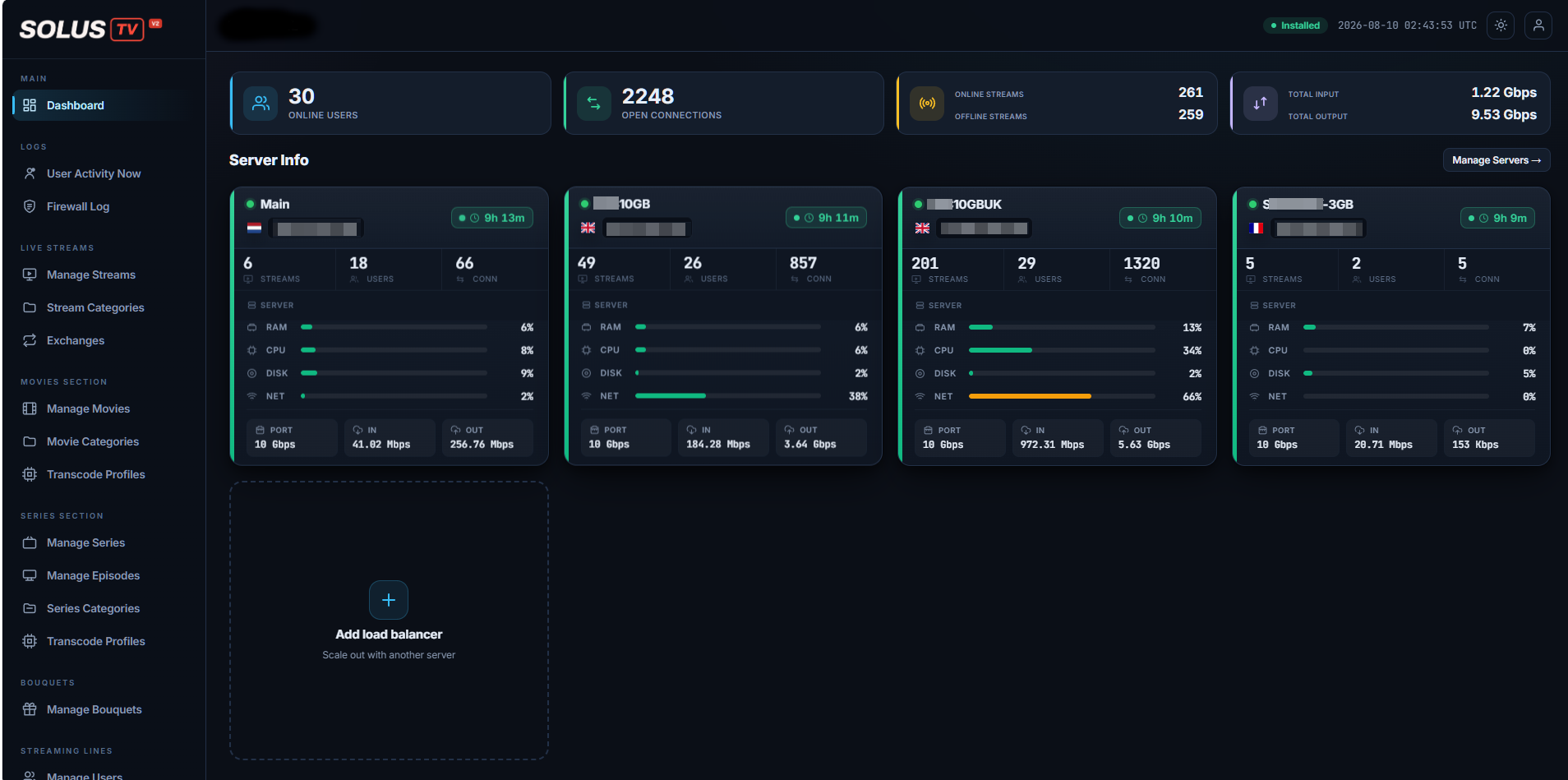
  • Per-server RAM, CPU, disk, network and throughput at a glance
  • Full SSL across every node
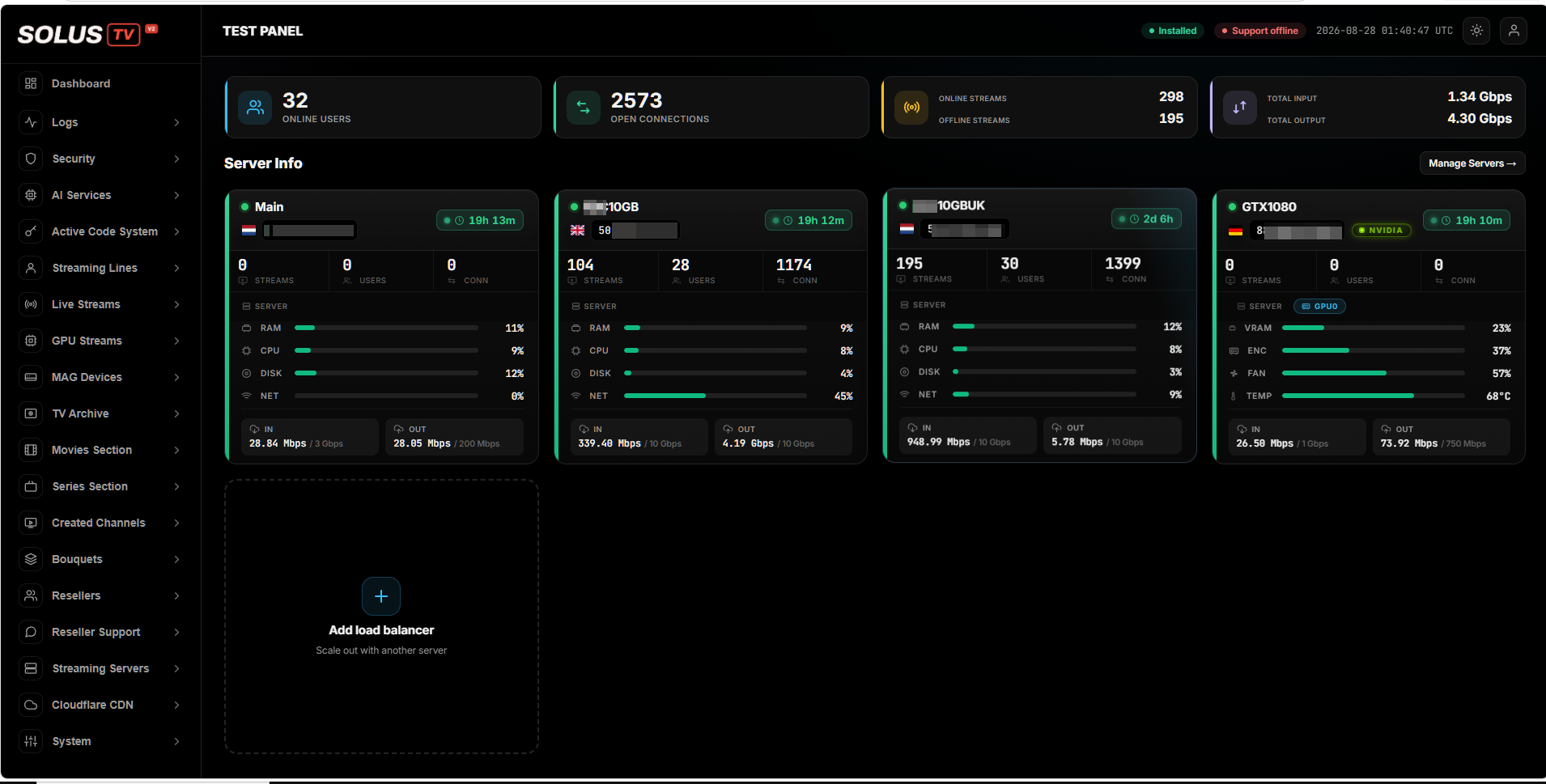
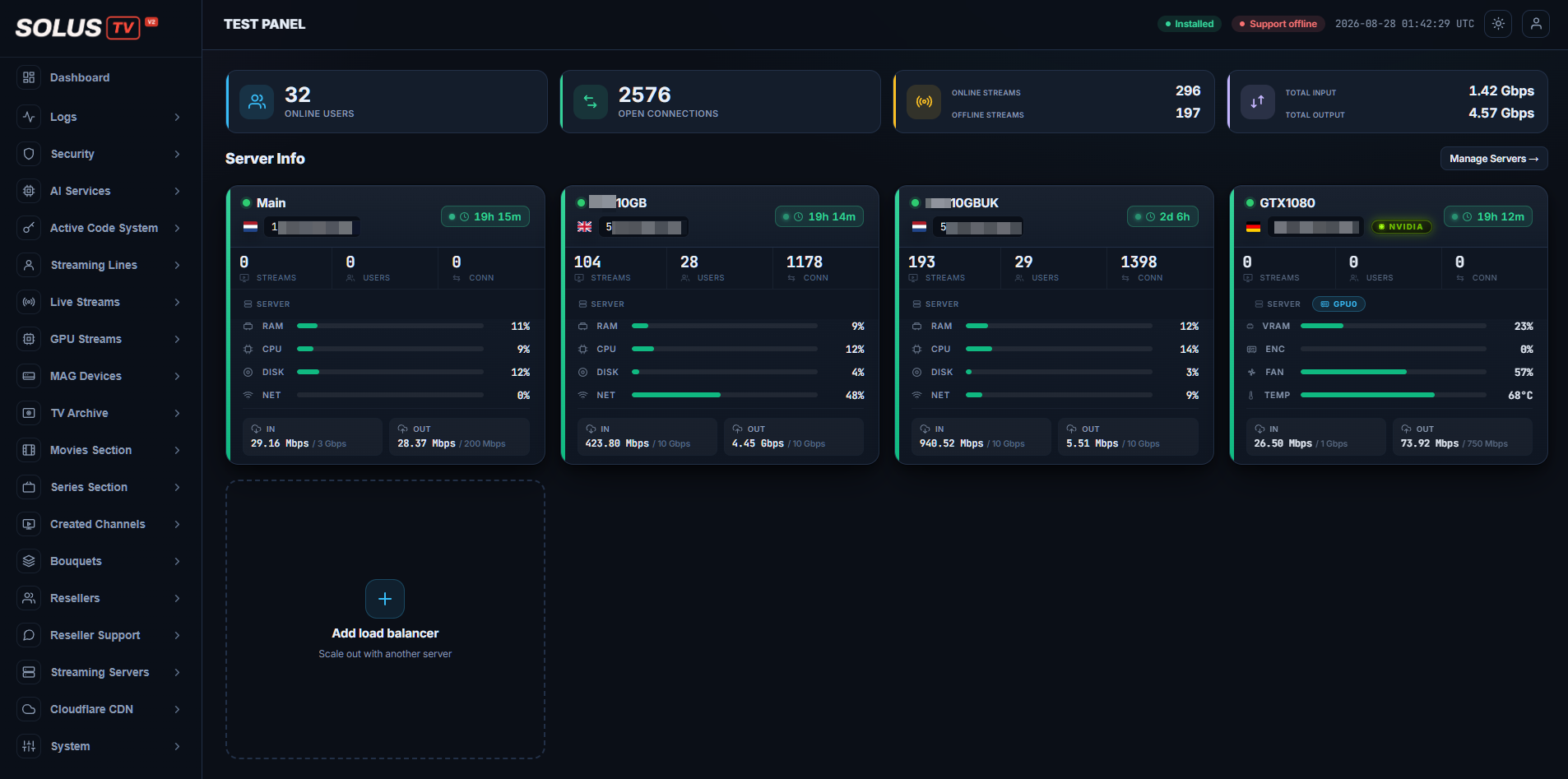
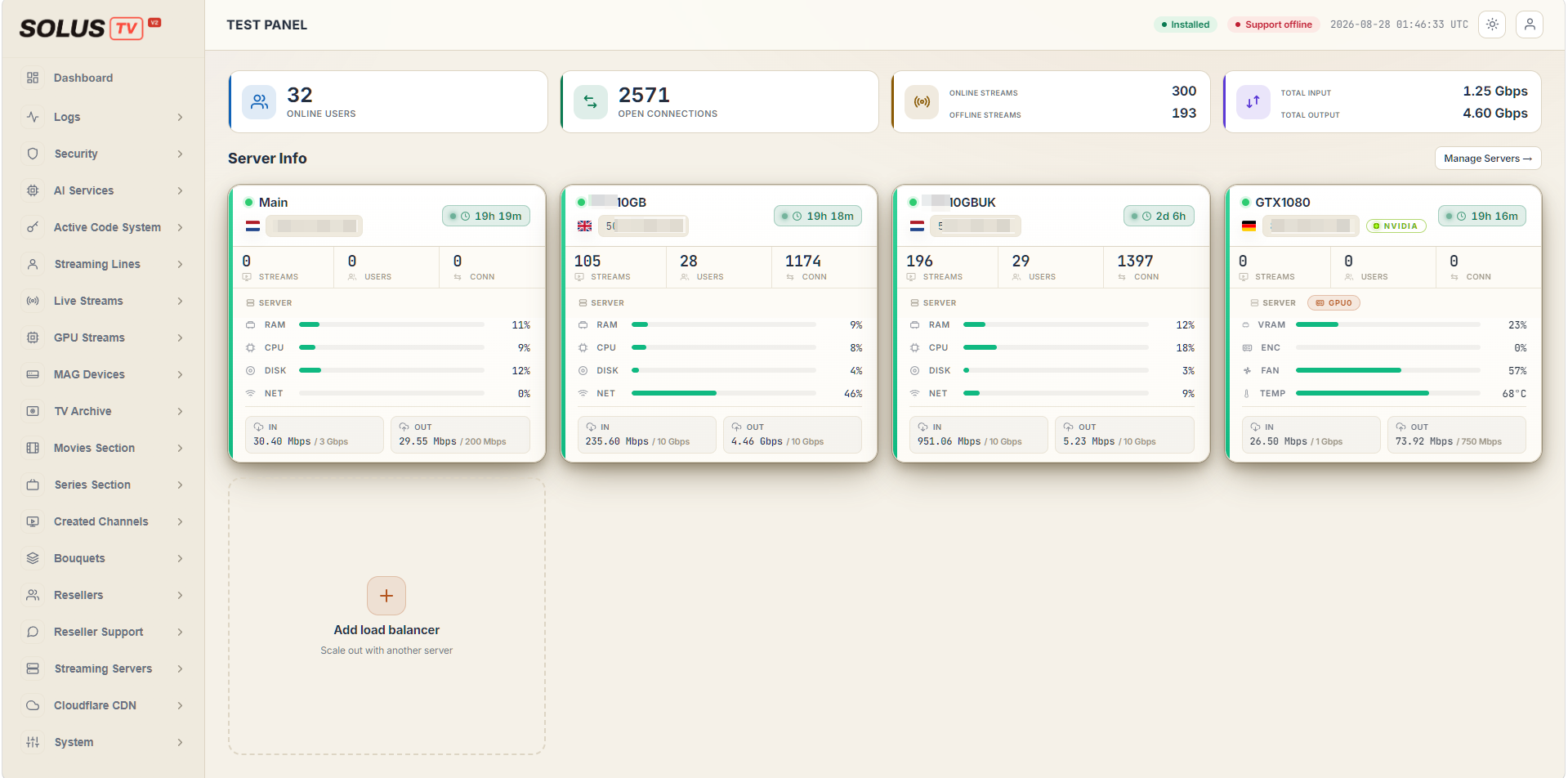
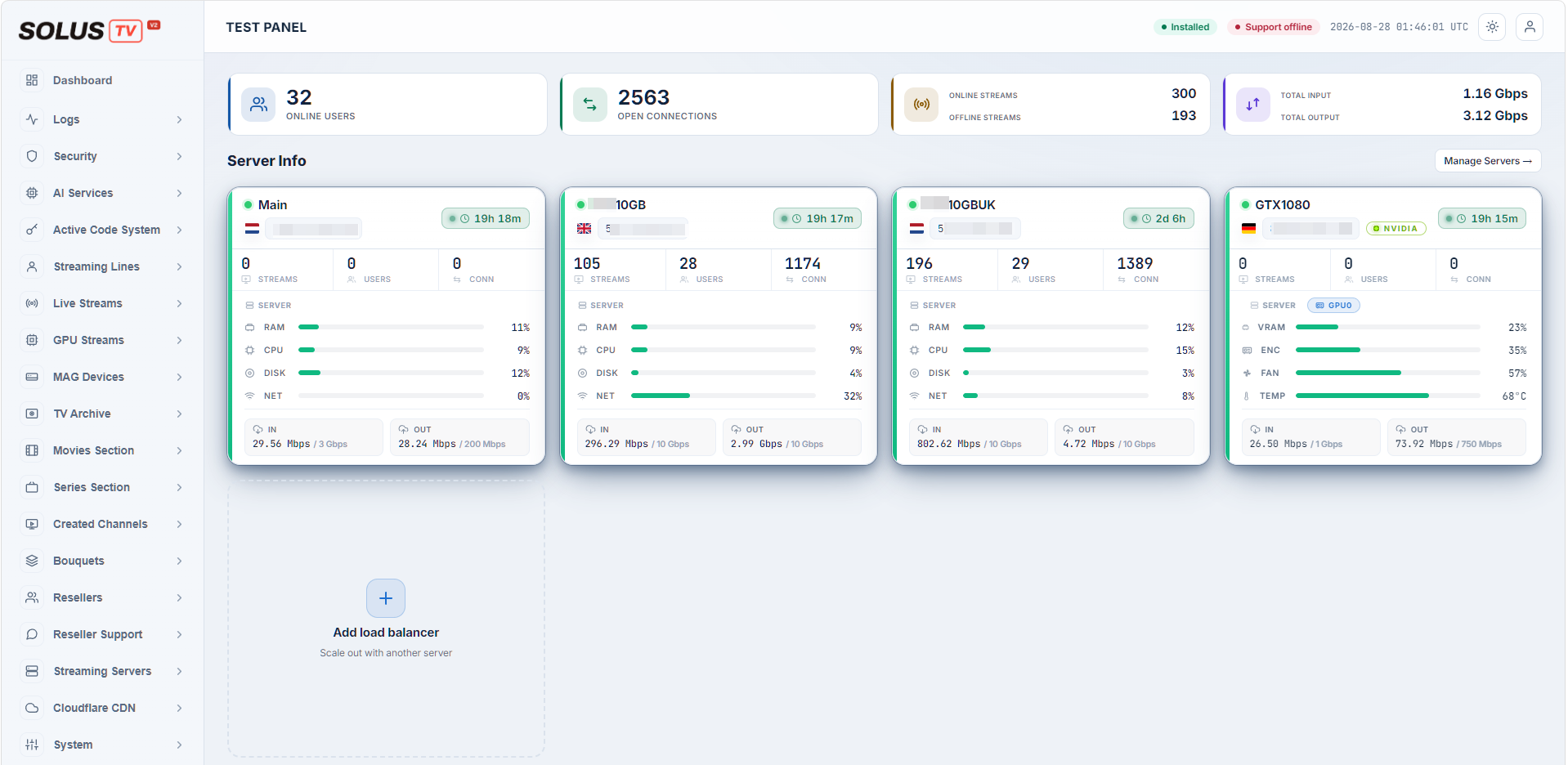
  • Four interface themes
Interface

Four themes. One panel.

dashboard
SolusTV V2 dashboard — server info, stream counts and throughput
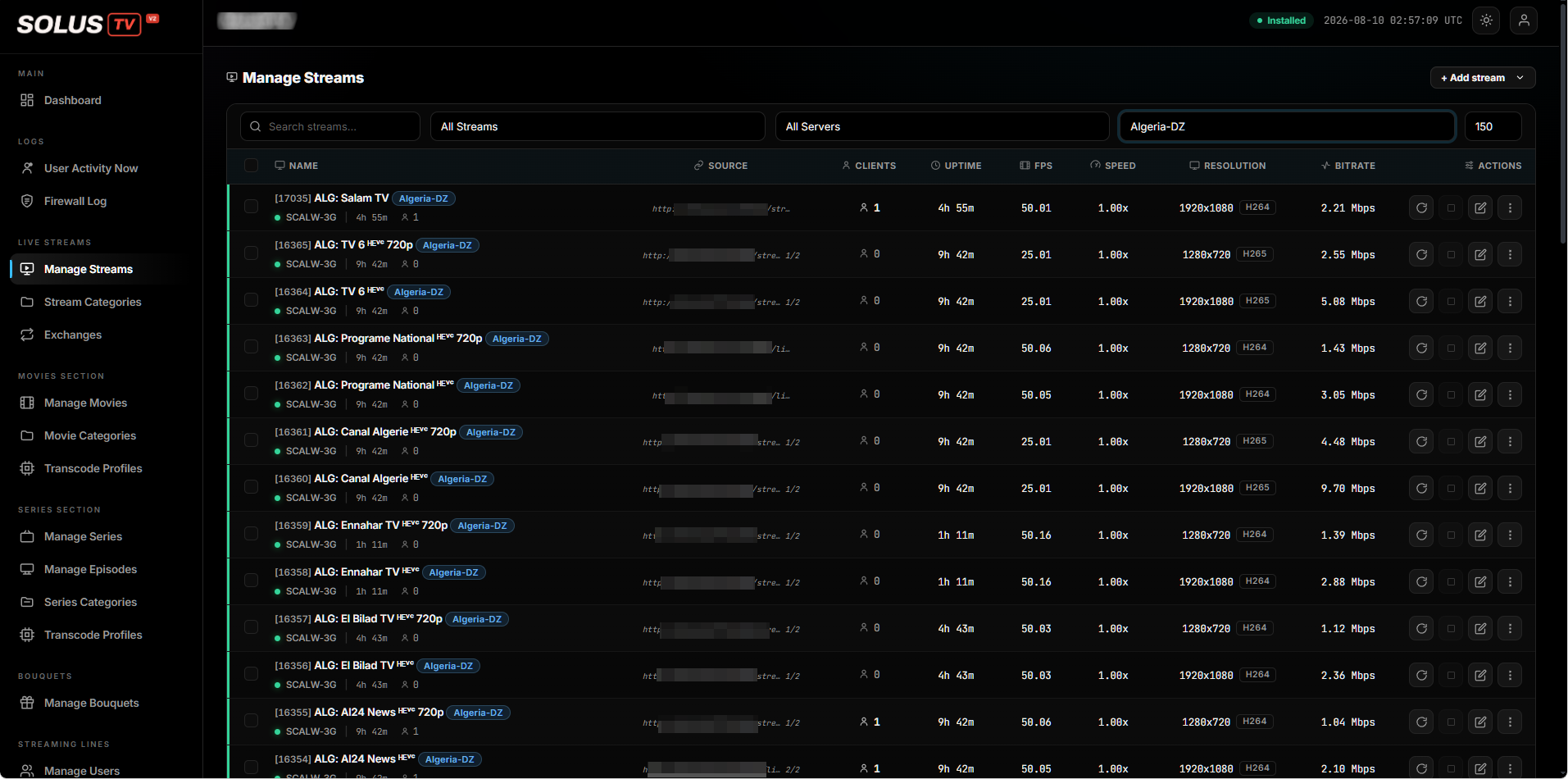
Manage Streams — stream list with clients, uptime, FPS, resolution and bitrate per channel
Manage streamsClients, uptime, FPS, resolution and bitrate, per channel
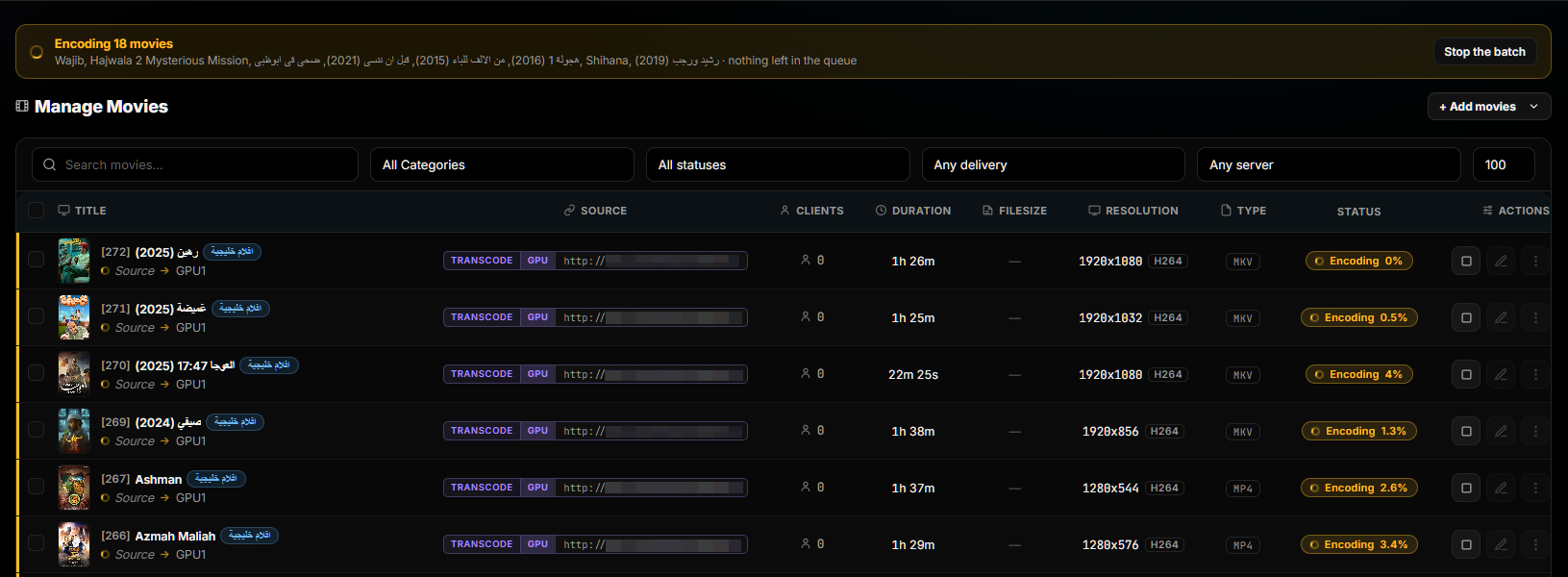
Manage Movies — batch encoding queue with per-title progress
Batch encodingQueue progress per title, with the batch stoppable at any point
Dialog setting how fast a batch should encode, limited by VRAM and temperature
Encode pacingBounded by VRAM and card temperature, or a fixed number at a time
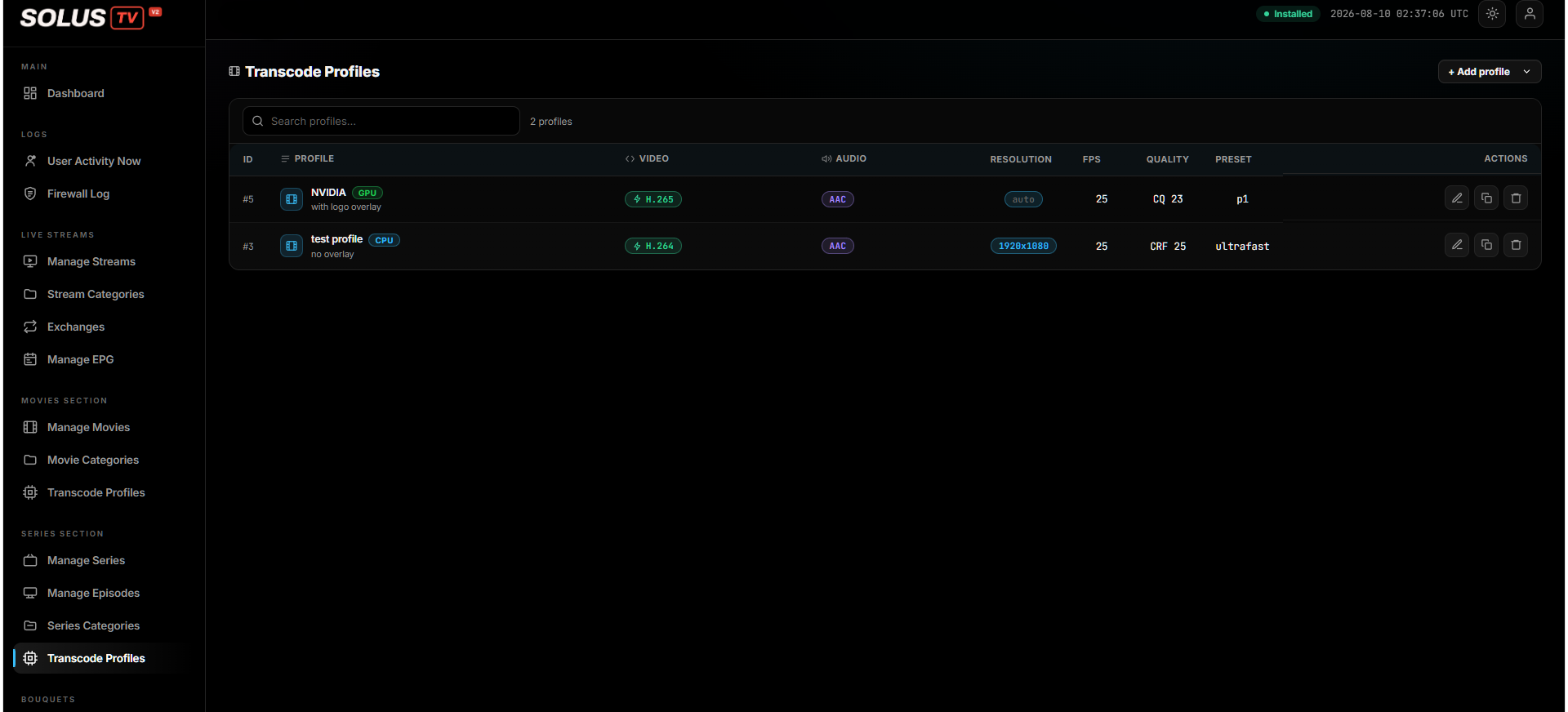
Transcode Profiles — GPU and CPU profiles with codec, resolution, FPS and quality
Transcode profilesGPU or CPU, codec, resolution, quality and overlay — reusable
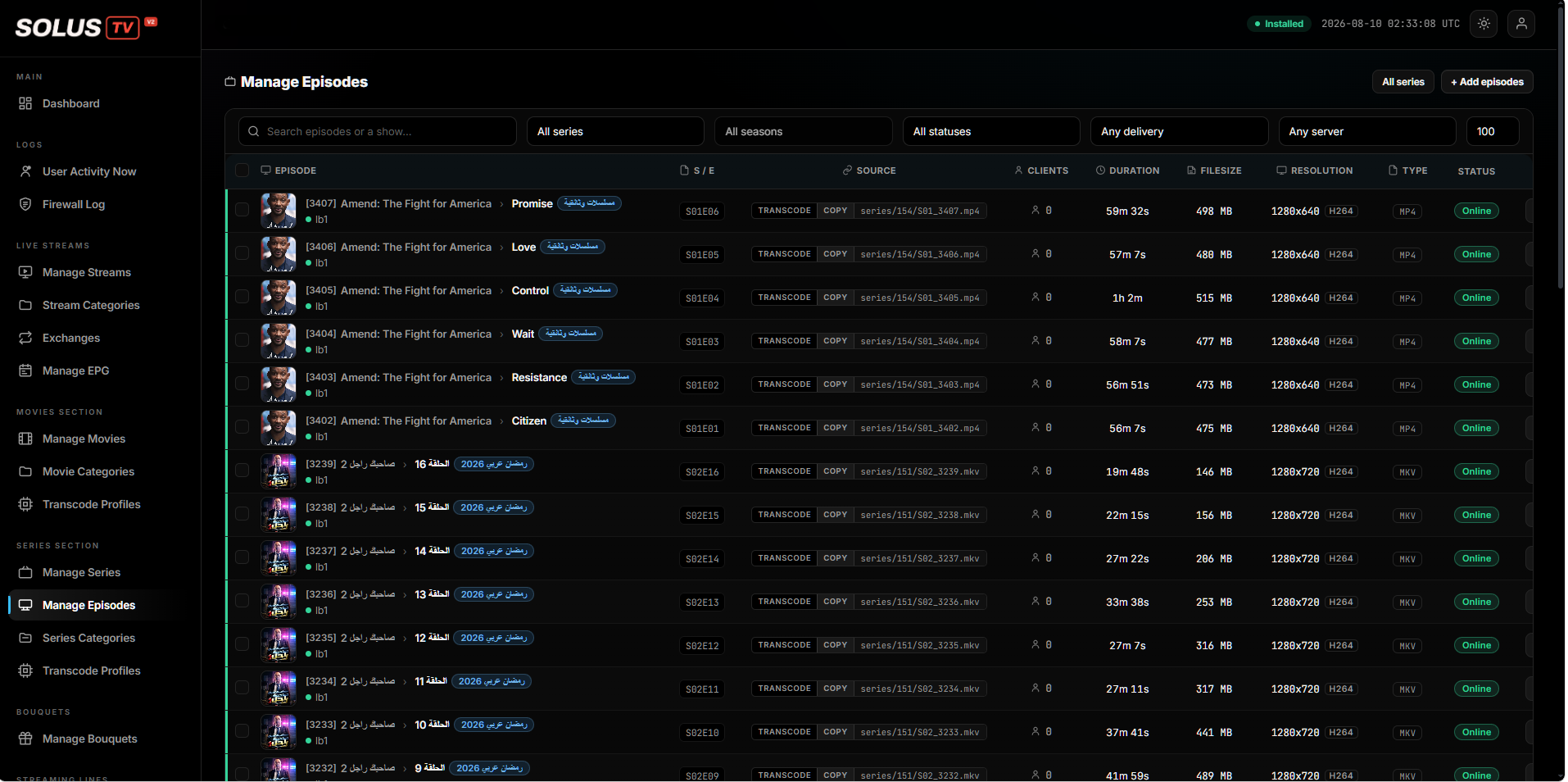
Manage Episodes — series and episode list with source, duration, filesize and status
Series and episodesSeason and episode management with source, duration, size and status
Availability

Not open for orders yet

V2 is in its final stage before release. Pricing isn't set and the trial isn't live — but if you run a panel today and want to be in the first group to install it, tell us and we'll come back to you when it opens.

trial
Coming soon

The full panel on your own server, so you can test it against your streams and your hardware rather than a demo.

Tell us you're interested
licence
Coming soon

Unlimited streaming and GPU servers, AI translation, activation codes, proxy and firewall, archive and timeshift.

Ask about early access

Running SolusTV V1? Your existing service is unaffected — client area