Branded Players · P2P Streaming

Your viewers share the stream. Your servers send less.

When many people watch the same live channel in your branded app, their devices pass it on to each other. Same picture, far less traffic from your servers.

IncludedWith your panel, at no extra charge

Grow the audience
From other viewers
0%
From your server
100%
Typical on busy channels, not a promise.Range

A viewer alone on a channel has nobody to share with. It plays from your server, and that is normal.

Pricing

Included. No extra charge.

P2P Streaming comes with your SolusTV panel. It only needs the Branded Players add-on, because it works inside your own branded app. You switch it on from your panel, in one click.

  • What you need
  • The Branded Players add-onYour own app, with your name on it.
  • Panel 2.0.134 or newerNothing else to rent or install.
  • Your app 1.0.36 or newerOn Android phones, tablets and TV boxes, and Windows PCs. Older versions keep playing from your server.
01 · How it works

The server feeds a few. Viewers pass it on.

  1. A viewer opens a live channel

    It plays from your server, as usual.

  2. More viewers tune in

    Their apps pass each other the parts they already have.

  3. Your server fills the gaps

    It sends only what is still missing. On a busy channel, that is a small part.

  4. Nobody is left out

    A viewer alone, or on a network that does not allow sharing, plays from your server. Nothing breaks.
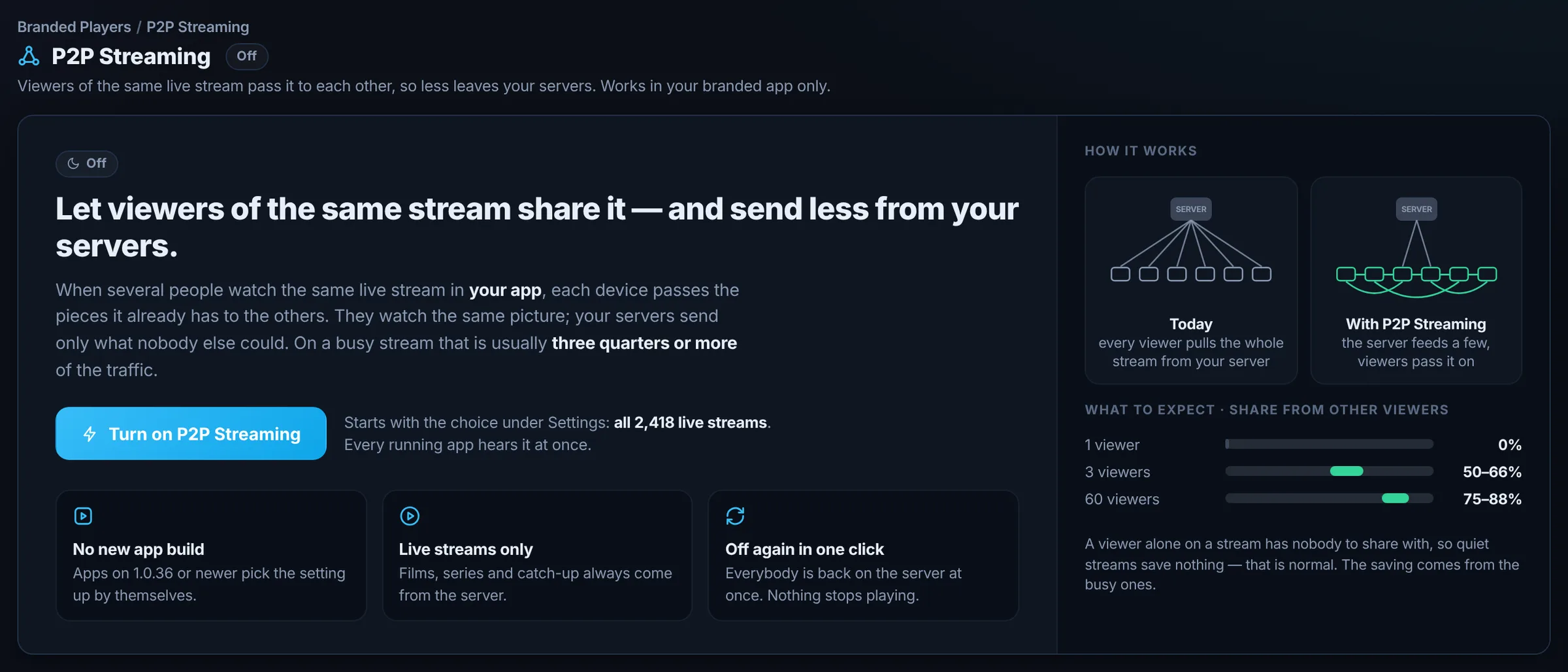
In your panel, before you switch it on
The P2P Streaming page in the panel before it is switched on: how it works in two pictures, and what to expect.
Today, every viewer pulls the whole stream from your server. With P2P Streaming, the server feeds a few and viewers pass it on.
02 · Why it matters

Built for the big nights.

A final, a big match, a premiere. The busier the channel, the more your viewers share.

Less bandwidth when it counts

The more viewers on one channel, the larger the share that comes from other viewers instead of your servers.

Nothing changes for viewers

Same app, same channels, same picture. A device that cannot share simply plays from your server.

You stay in control

All streams or just some. Who shares, on mobile data or not, how close to live. Off in one click.

Saving needs an audience. Quiet channels save nothing, and that is normal. Results depend on how many people watch the same channel, their devices and their networks.

03 · Live dashboard

Watch your audience carry the load.

See, live, how much your viewers share with each other and how much your servers no longer send.
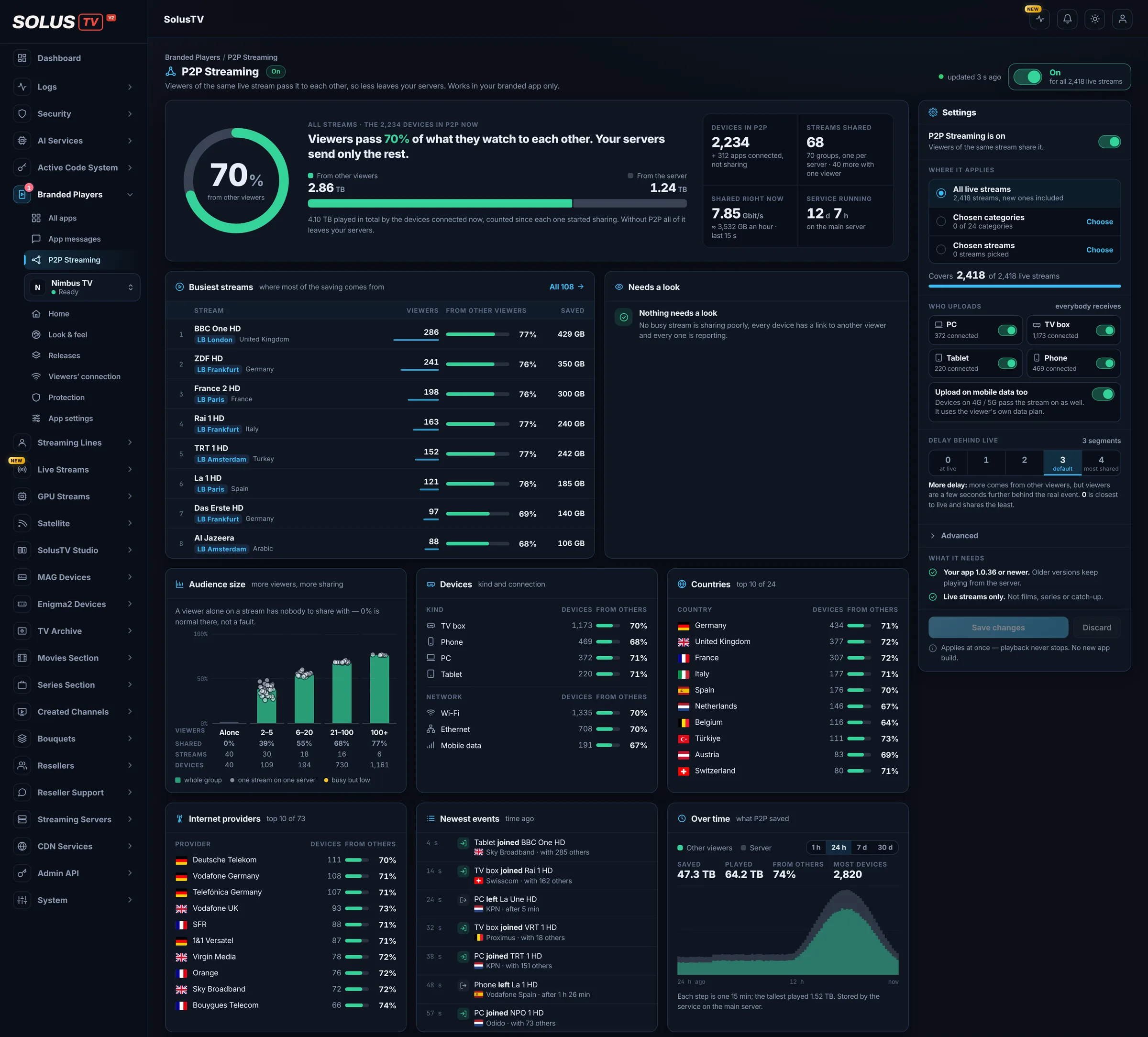
P2P Streaming · DashboardExample data
The P2P Streaming dashboard on a busy evening: share from other viewers, busiest streams, breakdowns, newest events and the 24-hour chart, with Settings on the right.
Example70% from other viewers on a busy evening. All figures in these screenshots are invented.
One streamExample
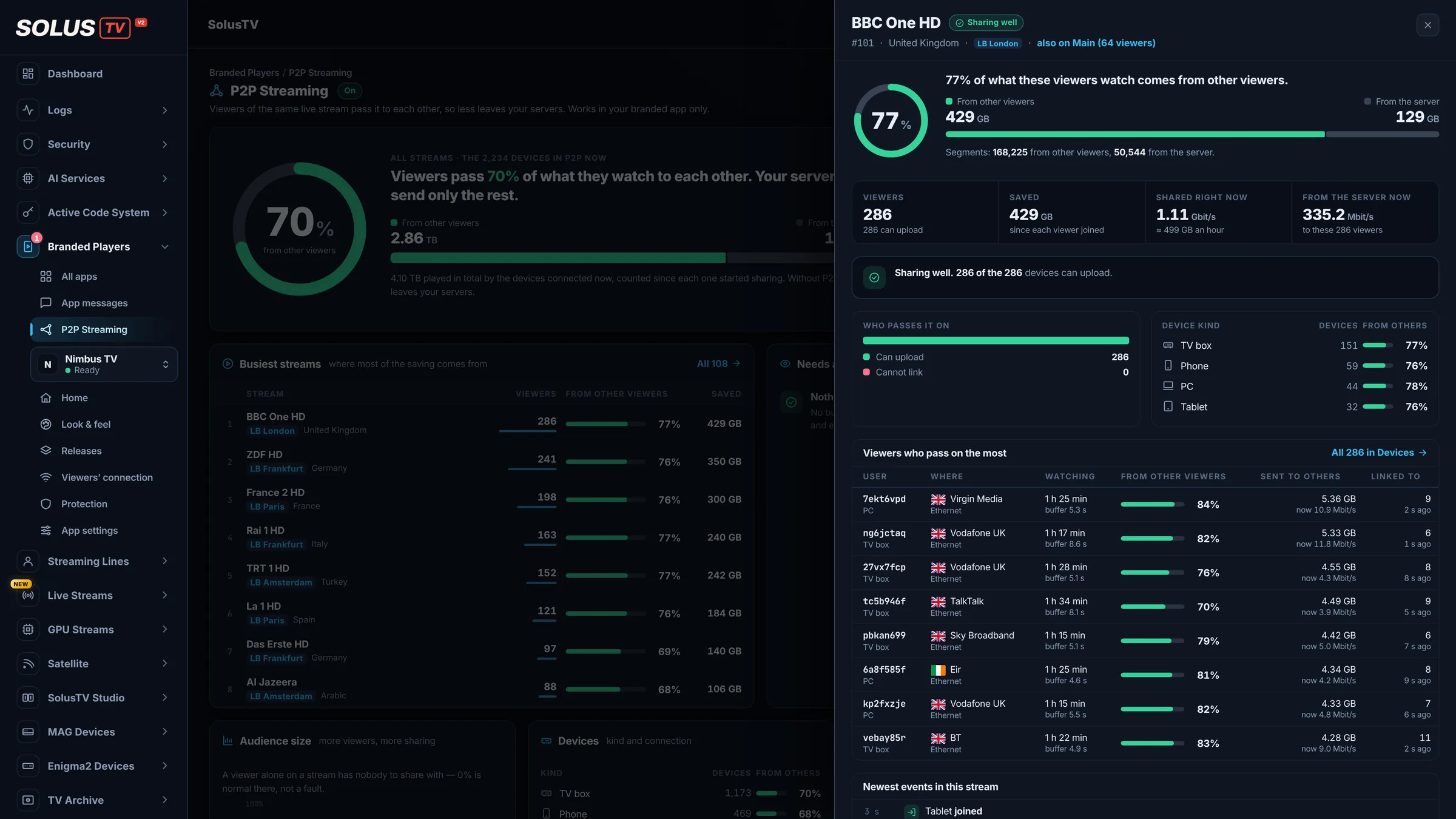
One stream opened in the panel: its share from other viewers, its traffic and the viewers who pass it on the most.
Open any stream. Its share, its traffic, the viewers who pass it on.
StreamsExample
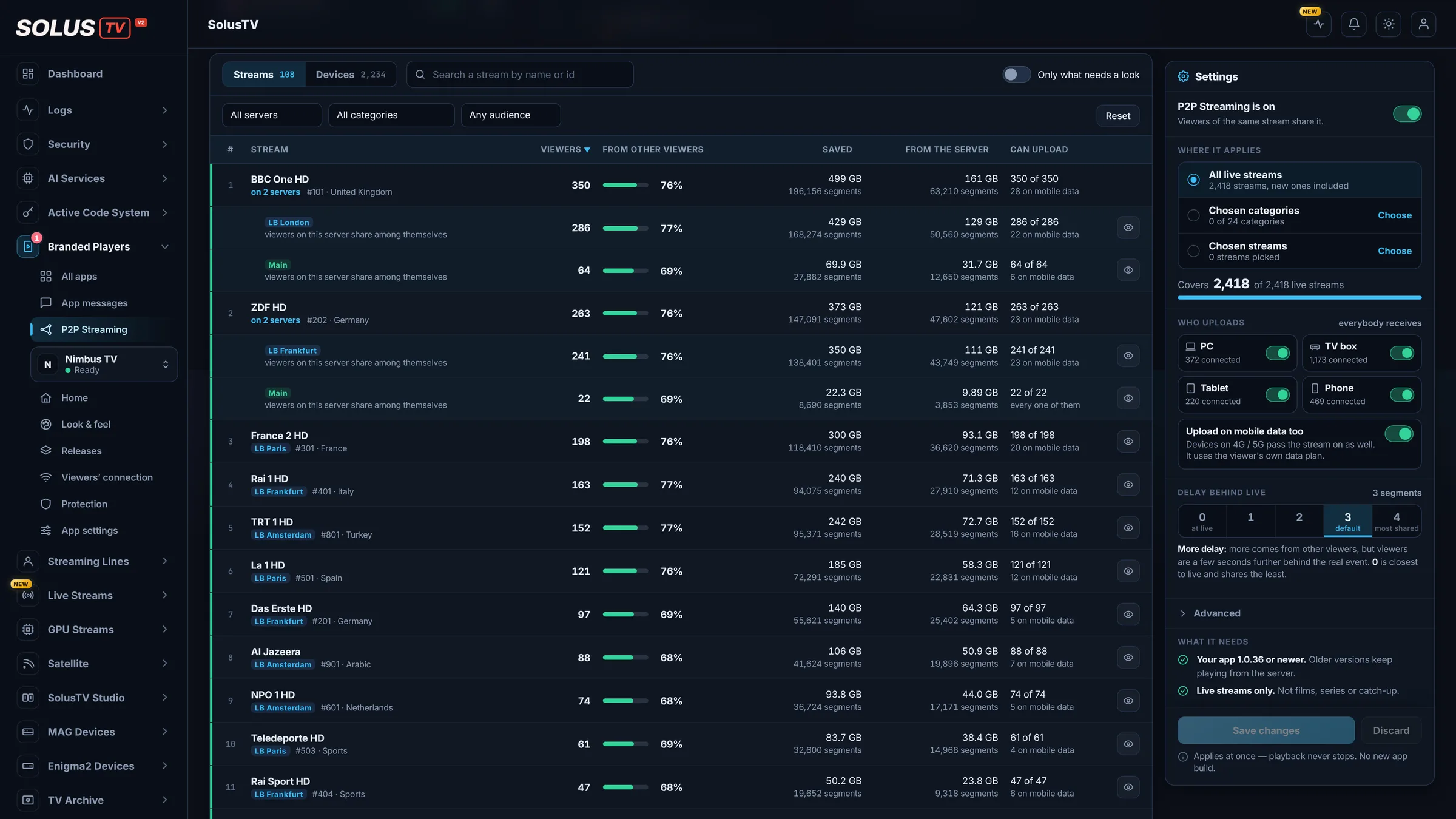
The streams table: every shared stream, server by server, with viewers, share and traffic saved.
Every shared stream, server by server.
DevicesExample
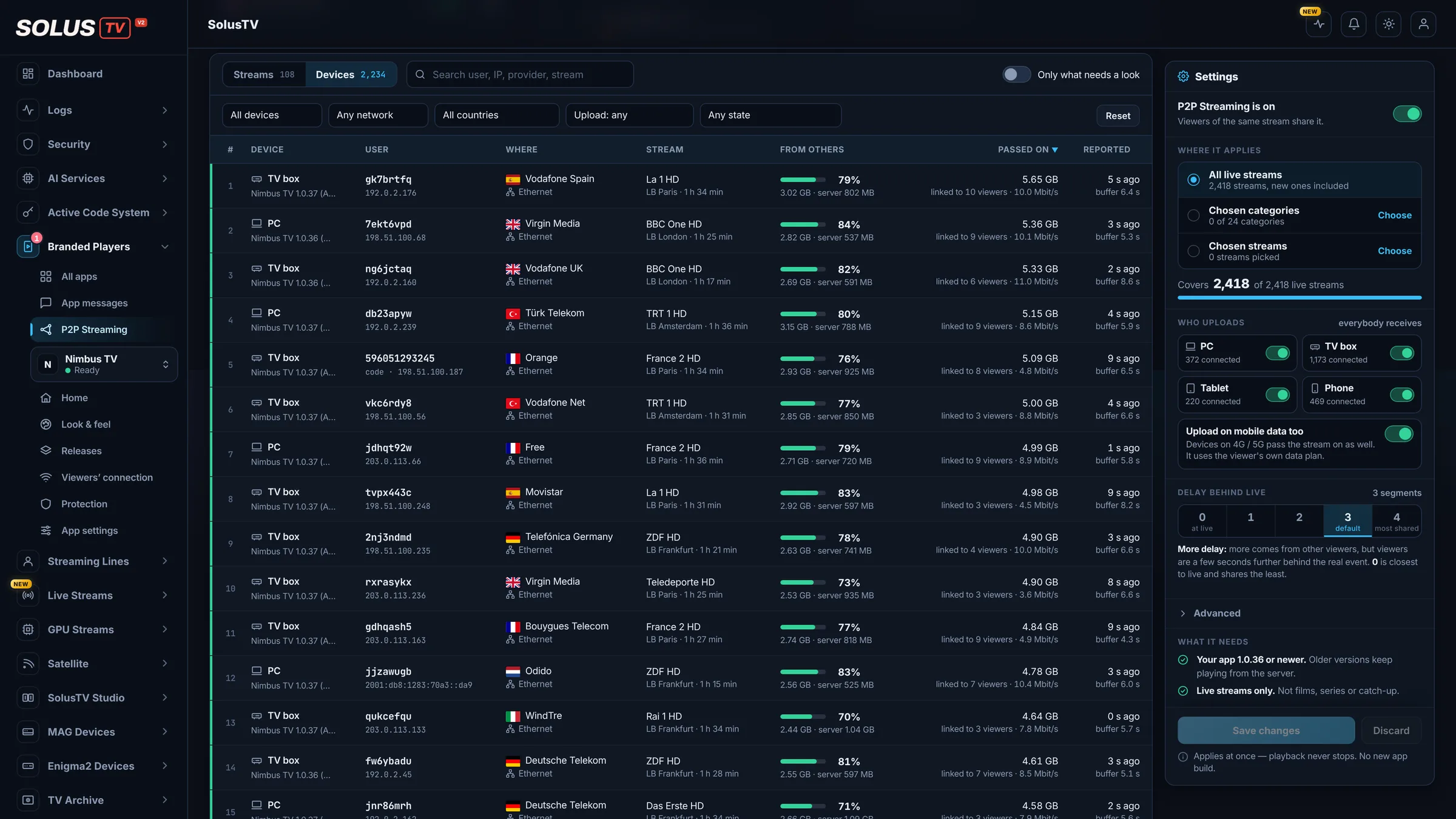
The devices table: device kind, app version, country, connection, what each device receives and what it passes on.
Every device in P2P: what it receives and what it passes on.
Where it appliesExample
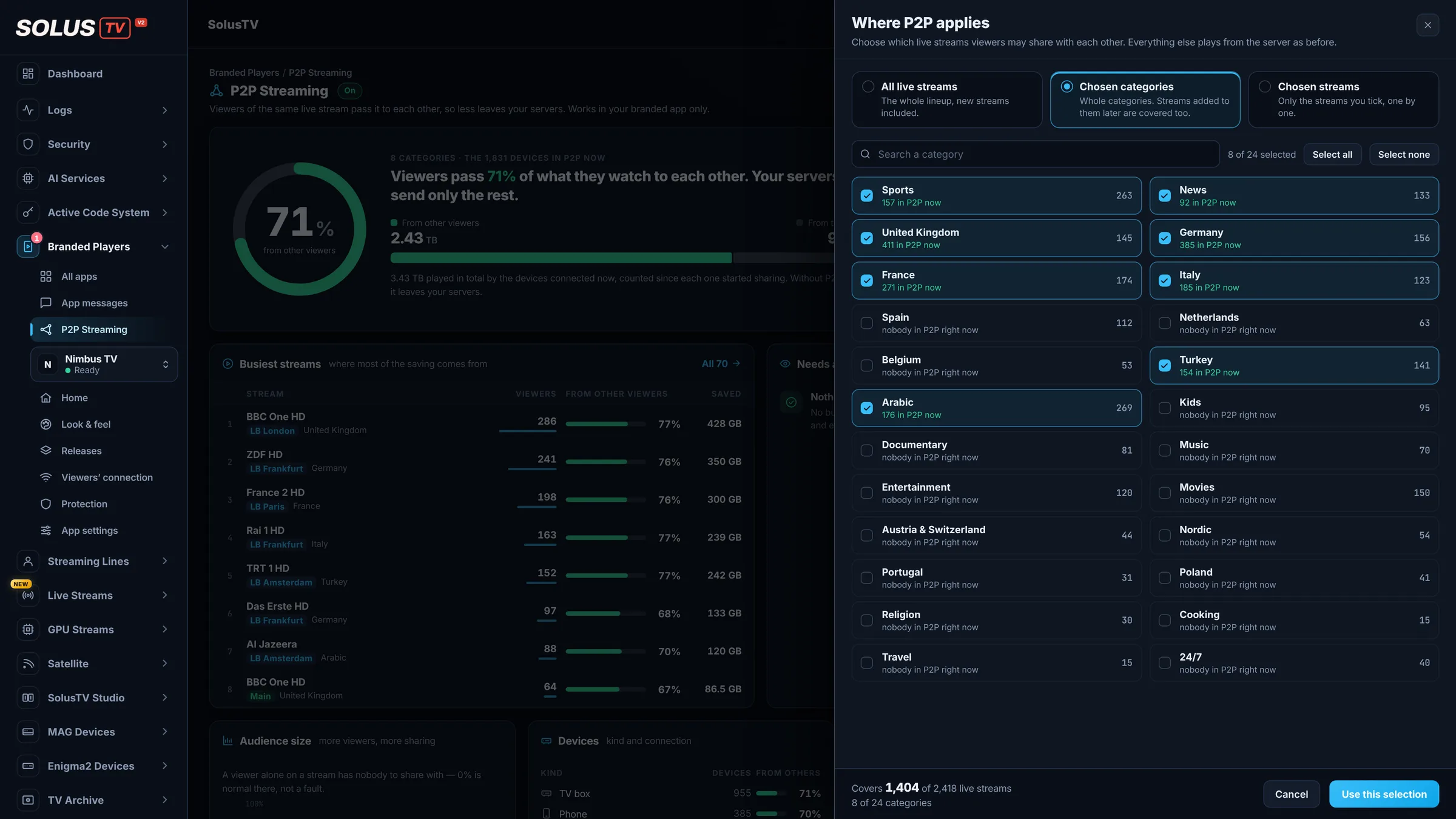
Choosing where P2P applies: all live streams, chosen categories or chosen streams.
All live streams, chosen categories or chosen streams. Your choice.
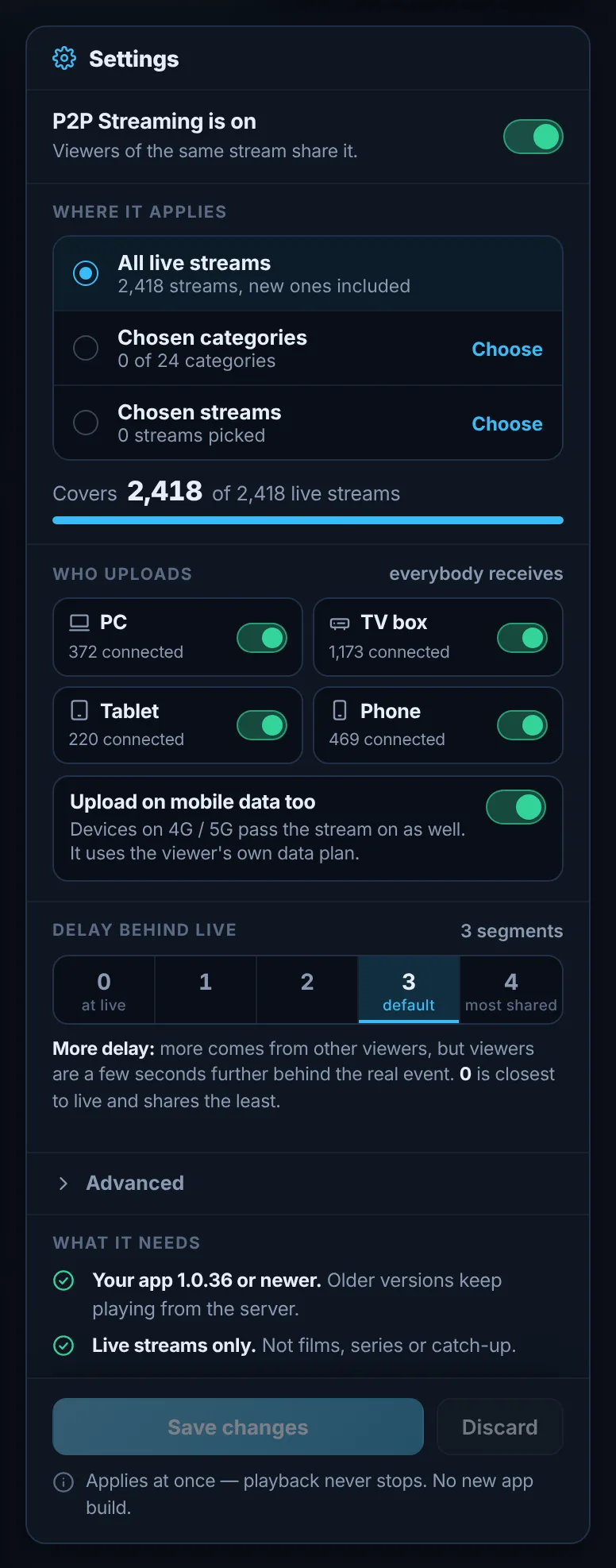
The P2P Streaming settings: where it applies, who uploads, upload on mobile data and delay behind live.
Who shares, on mobile data or not, how close to live: your choice.
04 · What you control

Your channels. Your rules.

A few clear settings. Every running app follows them at once.

  • Switch

    One switch

    On or off for the whole panel. Playback never stops.

  • Scope

    Where it applies

    All live streams, chosen categories, or single streams.

  • Devices

    Who passes it on

    PC, TV box, tablet, phone: choose per kind. Every device can always receive.

  • Mobile

    Mobile data

    Allow sharing on 4G and 5G, or not. It uses the viewer's own data plan.

  • Delay

    How close to live

    More delay means more sharing. Closest to live shares the least.

  • Off

    Off in one click

    Everybody goes back to your server at once. Nothing stops playing.

Live onlyFilms, series and catch-up always come from your server.
Never depends on itA device that loses other viewers keeps playing from your server.
Damaged parts refusedThey are thrown away and taken from your server.
05 · Questions

Good to know.

Does it cost extra?
No. It is included with your panel at no extra charge. It only needs the Branded Players add-on.
How much traffic will it save?
It depends on your audience. As a guide: one viewer alone saves nothing. Three viewers on a channel typically get about 50–66% from each other, and sixty viewers about 75–88%. Typical on busy channels, not a promise.
Do my viewers have to do anything?
No. Their app picks the setting up by itself (version 1.0.36 or newer). No new app build.
Which devices?
Your branded app on Android phones, tablets and TV boxes, and Windows PCs.
What if a viewer's network does not allow sharing?
That viewer plays from your server, exactly as before.
Does it use my viewers' internet?
A little of their upload. You can switch sharing off per device kind, and on mobile data.
Films and series?
No, live streams only. Films, series and catch-up always come from your server.
Can I turn it off?
Yes, in one click. Everybody goes back to your server at once, and nothing stops playing.
P2P Streaming

Let your audience
carry the big nights.

Included with your panel. All it needs is the Branded Players add-on.